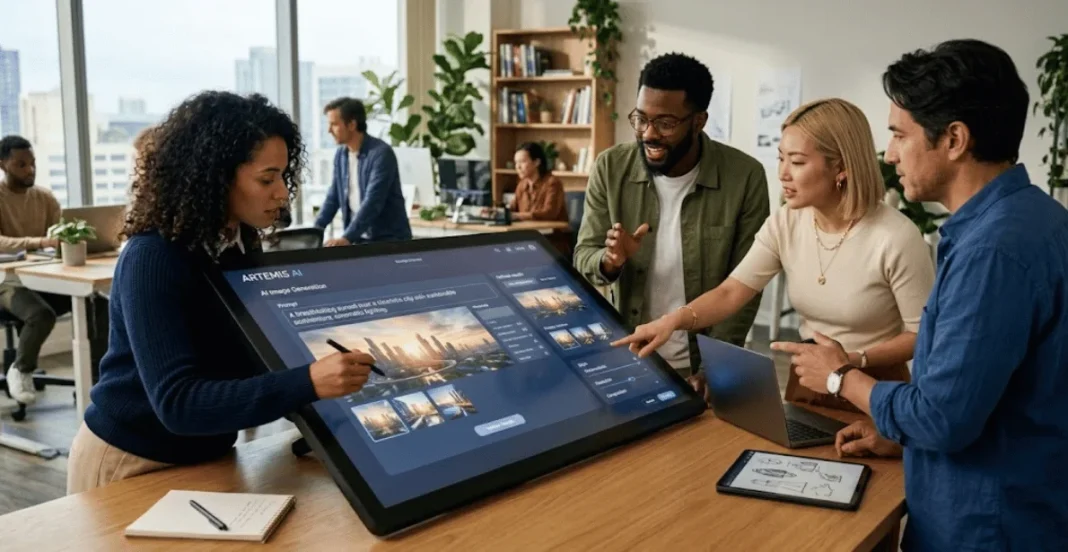

An AI Image generator turns written instructions into original visuals using generative models. You describe a subject, style, lighting, framing, and mood. The tool interprets those details and produces images for websites, social posts, presentations, concepts, or campaigns.
Results depend more on clear direction than prompt length. A short, specific prompt often beats a long, unfocused one. The strongest workflow combines purposeful prompting, review, revision, and basic legal checks before publication.
| Topic | What matters most |
| Prompt quality | Clear subject, setting, style, lighting, composition, and constraints |
| Best workflow | Generate, review, change one issue, then regenerate |
| Useful formats | Social graphics, blog images, concept art, product scenes, storyboards |
| Legal checks | Copyright, trademarks, privacy, platform terms, and commercial-use rights |
| Privacy checks | Avoid confidential or sensitive reference files without permission |
Quick Answer
To create useful AI images, define the purpose, describe the subject clearly, choose a style, set composition, then generate. Review the result at its intended size and correct one issue at a time. Before publishing, check platform terms, privacy concerns, and possible copyright or branding risks.
Key Takeaways
| Principle | Practical takeaway |
| Start with purpose | Know where the finished visual will appear before prompting. |
| Give visual direction | Describe the subject, setting, style, lighting, and framing. |
| Revise carefully | Change one weak element instead of rewriting everything. |
| Check risks | Review logos, likenesses, private data, and commercial rights. |
| Save good prompts | Reusing successful structures makes future work more consistent. |
What You’ll Need Before You Start
You need a clear use case, a generator, and a place to review the output. Keep the final aspect ratio and required copy space in mind. If you plan to upload references, confirm you have permission to share them.
| Item | Purpose |
| Defined image purpose | Keeps the visual focused on its final use |
| Short creative brief | Gives the system clear instructions |
| Rights-cleared reference image | Helps guide style or composition when needed |
| Normal image editor | Handles final text, layout, and accuracy checks |
What Is an AI Image Generator, and How Does It Work?
An AI image generator creates pictures from text or reference images. It uses learned visual patterns to interpret words, relationships, colors, and styles. The output is generated from your instructions rather than pulled as a finished stock image.
The process starts with a prompt, which acts like a compact creative brief. The system turns that brief into one or more visual options. You then refine the prompt or edit the chosen result until it matches the intended use.
Where Text-to-Image Tools Help Most
These tools are useful when you need a visual concept quickly. Marketers can draft campaign ideas, while writers can build article graphics or storyboards. Legal teams can also create non-confidential educational visuals for presentations and public content.
The technology also fits broader digital workflows already changing professional services. Lawblink covers related developments in its guide to legal technology trends. That wider context matters because image generation is one part of a larger shift toward AI-assisted work.
| Use case | Practical application |
| Blog content | Headers and supporting illustrations |
| Social media | Platform-specific graphics and concepts |
| Presentations | Illustrations, scenes, and visual aids |
| Video planning | Storyboard frames and concept scenes |
| Marketing | Early product-scene and campaign mockups |
| Education | Article and training visuals |
How to Create Better Images From Text in 7 Steps
A reliable process reduces random results and unnecessary generations. Each step should solve one creative decision before you move forward. This approach also makes weak outputs easier to diagnose and fix.
- Define the final use. Decide whether you need a square post, widescreen banner, portrait, illustration, or product scene.
- Choose a suitable tool. A browser option such as AI image generator from text can turn written prompts into visuals and support later refinement.
- Name the main subject. Describe the person, object, place, or scene with the details that matter most.
- Add the setting and action. Explain what is happening, where it occurs, and which surrounding elements should appear.
- Set the visual direction. Specify photography, illustration, watercolor, 3D, poster art, or another clear medium.
- Control composition and lighting. Mention framing, camera angle, copy space, background simplicity, light direction, or color palette.
- Generate and revise. Review the biggest mismatch, change one instruction, then create another version.
A Prompt Formula for More Controlled Results
Strong prompts usually contain a small set of clear visual decisions. You do not need to stack dozens of adjectives into one request. Give the system enough detail to reduce guessing without creating conflicting instructions.
| Element | Example |
| Formula | Purpose + subject + action + setting + style + lighting + composition + constraints |
| Sample prompt | Website hero image of a law office, evening light, editorial photography, wide framing, empty space on the left |
The purpose should come first when the image has a specific placement. Composition matters because a beautiful picture can still fail inside a webpage or advertisement. Copy space, orientation, and subject position often matter as much as style.
You can also add negative constraints when the platform supports them. Ask the system to avoid extra text, cluttered backgrounds, unwanted objects, or distracting colors. Keep those exclusions short so they do not compete with the main brief.
How to Fix Weak or Strange Results
Do not rewrite the whole prompt after a disappointing result. Identify the largest problem and change the instruction connected to it. This method helps you learn which words control the output most effectively.
| Problem | What to change | Example instruction |
| Subject looks generic | Add specific physical details | “matte black ceramic mug with a curved handle” |
| Scene feels crowded | Simplify the background | “plain neutral wall, minimal objects” |
| Layout is unusable | Specify framing and copy space | “subject on right, open space on left” |
| Lighting feels flat | Name a light source | “soft window light from the left” |
| Style changes too much | Use a permitted reference | “keep the same color palette and composition” |
Text inside generated images also deserves extra review. Small lettering may be distorted, misspelled, or placed poorly. Add final headlines and legal disclaimers with a normal design editor when accuracy matters.
Legal and Privacy Checks Before Publishing
Under United States copyright practice, purely machine-generated material lacks the human authorship required for protection. The United States Copyright Office says protection depends on sufficient human-authored expression. Human selection, arrangement, or modification can matter depending on the facts.
Prompting alone should not be treated as guaranteed copyright ownership. Platform terms may also control what you can publish or use commercially. Review the current terms before using generated work in advertising, client projects, merchandise, or paid campaigns.
Trademarks create a separate risk from copyright. A generated logo or branded object can still resemble protected commercial designs. Lawblink explains related concerns in its article about logo design disputes.
Reference images can also contain sensitive or confidential information. Do not upload client files, private photographs, evidence, or protected business material without permission. Law firms should review cybersecurity practices for legal teams before using external AI services.
This section provides general United States information, not legal advice. Rules can differ by country and use case. For high-stakes commercial work, get jurisdiction-specific advice.
Can AI-Generated Images Be Used Commercially?
Commercial use depends on the platform terms, the generated content, and applicable law. A tool may allow business use without guaranteeing exclusive rights or non-infringement. You should separate permission to use an image from ownership of copyright in that image.
Brands should also inspect outputs before publication. Look for copied logos, recognizable characters, celebrity likenesses, or protected packaging. When a campaign carries meaningful legal risk, professional review is safer than relying on automated output alone.
How to Build a Repeatable Prompt Library
Save prompts that produced usable results instead of starting from zero each time. Record the prompt, output format, tool, and any settings that affected the image. Over time, your library becomes a practical reference for recurring visual tasks.
Organize prompts by purpose instead of by random style names. Useful groups include blog headers, social cards, product scenes, portraits, and editorial illustrations. This structure makes it easier to reuse proven instructions without copying an old image too closely.
Frequently Asked Questions
Is an AI Image Generator Free to Use?
Many platforms offer free access, trials, credits, or limited generations. Paid plans may add higher limits, larger exports, or advanced editing controls. Check the current plan details because pricing and usage limits can change.
How long should an image prompt be?
A useful prompt can be short if it contains the right details. One to three focused sentences are often enough for a clear creative brief. Add information only when it changes the subject, style, composition, lighting, or intended use.
Can I use a reference photo with a text prompt?
Many current tools support reference images alongside written instructions. A reference can guide composition, color, subject consistency, or visual direction. Only upload images you are allowed to use and share with that service.
Why do generated images sometimes contain mistakes?
Generative systems interpret patterns rather than following a fixed drawing blueprint. Complex hands, crowded scenes, small text, and precise object counts can still cause errors. Clear prompts and focused revisions usually make those problems easier to correct.
Turn a Clear Brief Into a Better Visual
Start with the final use, then describe the subject and scene with practical detail. Generate one version, inspect the biggest weakness, and revise that single point. Before publishing, check rights, privacy, and brand risks so the finished visual fits its real purpose. Choose one real project and write your first prompt now.